Everyone is excited about AI right now. But it’s not just in the marketing department. Designers and engineers have been playing with it, too. And the possibilities are nothing short of marvelous.
A HubSpot study showed that at least 93% of web designers now use AI in web-related tasks. Almost 50% of these use AI tools to create “complete web page designs.” Other potential areas that AI can prove helpful include performance improvement and user experiences.
Let’s learn more.
How To Use AI In Web Development
Design assistants
Website design programs can help experienced programmers to write more code much faster. An engineer’s work is mainly creative and needs complex reasoning, broad skills, and an understanding of the web development project. However, new and novel solutions have compiled small, simple, and frequently used codes and design concepts. Driven by AI, these tools can accurately suggest the next line of code and help assemble small code blocks for the programmer. This helps to reduce costs and speed up the design process.
ADI-Artificial Design Intelligence
Designers can use ADI solutions to build complete and highly functional e-commerce sites. These solutions automate everything from design aesthetics to content structure. The best thing about it is that they use feedback in performance improvement. By asking the users a few questions and learning from extensive amounts of data used to train the model, an ADI can create highly intuitive website designs that fit any purpose.
Smart chatbots and voice user interfaces
Using an AI-powered chatbot on a website can help users quickly find the information they seek. It eliminates the need for manual searchers online. Voice-based user interfaces, on the other hand, enable hands-free website browsing.
These tools can serve up content in an instant and hold meaningful conversations with users. Users can speak or type a question into the bot (in natural language), and the tools will receive and answer it immediately.
The bots simply learn and draw from the content already available on the website. Designers can build their AI-based chatbots and voice assistants from scratch or work with provider solutions through APIs.
Search Engine Optimization (SEO) made it easier
The tiring process of search engine optimization requires extensive research of the right keywords, content topics, and links. SEO AI tools make everything easy, giving you all the right keywords and links to target.
You can use AI-powered SEO tools to generate top-performing blog topics and incorporate the right keywords into the content to make it rank higher.
Some of the best SEO AI tools can even write text for you, creating introductions with the right keyword density to help your website become visible to Google’s AI bots.
Real-time content personalization
Staying in touch with the customer base can help businesses achieve brand loyalty, but no cookie-cutter messaging and emails can grab customers’ attention or commitment. Instead, customers want to receive personalized and highly relevant messaging, which signifies that a brand understands how to fulfill their needs.
AI-driven dynamic content customization can help create personalized experiences for each of your unique customers hundreds of thousands of times. These tools study data from various sources and determine where the customer is in the customer journey. Then, they produce messaging that speaks directly to the customer’s hopes and dreams.
Conclusion
In a nutshell, the future of AI in web design is bright. There are many possibilities to save time and improve user experiences by using and adopting AI design tools and concepts.
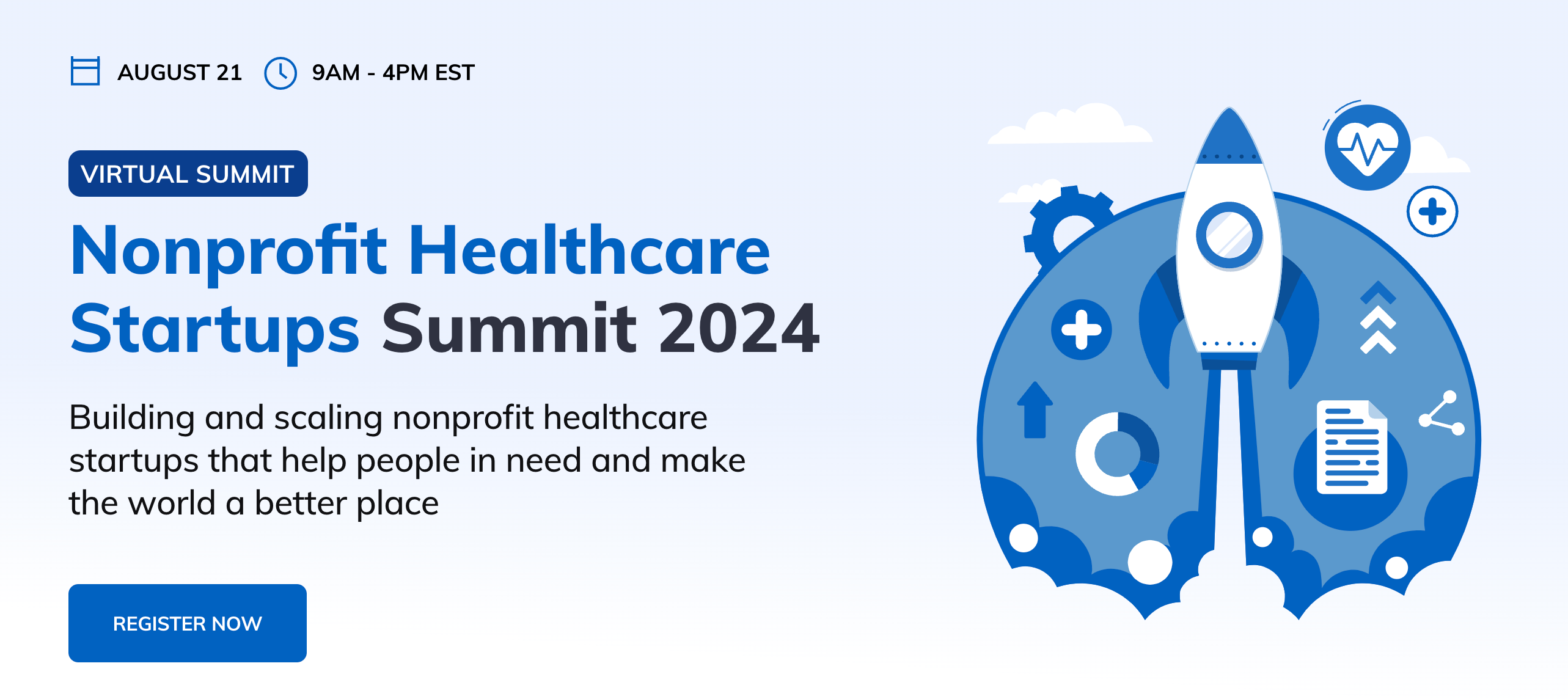
Building and scaling nonprofit healthcare startups that help people in need and make the world a better place.
Join the “Nonprofit Healthcare Startups Summit 2024” by Glorium Technologies on August 21 to explore innovative strategies and solutions for the healthcare sector, from 9 AM to 2 PM EST.
This 5-hour virtual event is essential for leaders and innovators within nonprofit healthcare organizations who are eager to elevate their impact and operational effectiveness.
Designed for decision-makers and strategic thinkers in the healthcare sector, the summit will address key issues such as the adoption of digital technologies, innovative healthcare solutions, and strategies for improving patient outcomes and organizational efficiency. It provides a rare opportunity to hear from leading figures in the healthcare industry and to learn about the latest trends and challenges.
Participants will engage in sessions focused on practical strategies for leading successful transformations, adopting new technologies, and managing high-performing teams in a nonprofit environment. The summit is not just a conference; it’s a center for thought leadership, inspiration, and actionable insights. It offers an unparalleled chance to network with key influencers and thought leaders in the nonprofit healthcare sector.
By attending, you’re not just participating in a conference; you’re immersing yourself in the future of nonprofit healthcare leadership. This event will equip you with the knowledge and tools needed to drive successful initiatives and innovations in your organizations and to foster a culture that is both innovative and patient-focused.
Attendees will leave with actionable knowledge, new strategies to enhance their leadership and management capabilities, and insights to stay competitive in a rapidly evolving industry. The summit promises to be a day of learning, networking, and innovation, placing you at the forefront of nonprofit healthcare leadership.
In summary, the “Nonprofit Healthcare Startups Summit 2024” is a must-attend event for anyone committed to advancing their organization’s goals in the healthcare sector. It offers a rare chance to gain insights, network with industry leaders, and learn about strategies shaping the future of nonprofit healthcare.
Don’t miss the opportunity to be part of this key event where you can connect, learn, and find inspiration among the best in the business. Register now and transform your approach to nonprofit healthcare. Join us at Glorium Technologies’ summit for a day as enlightening as it is inspiring.
In the world of remote work, PDF Expert has become a lifesaver for professionals. As individuals and businesses demand smoother ways to manage PDFs, PDF Expert stands out as a dependable solution. This PDF Expert review finds why.
PDF Expert makes editing, annotating, and organizing documents easier than ever. It can do things that no other application can. Continue reading our PDF Expert review to learn why this tool is an industry favorite.
Who Can Use PDF Expert?
Freelancers, teachers, business leaders—all kinds of professionals can benefit from using the world-class PDF Expert for Mac. Mac users love PDF Expert because it works well with the operating systems on Apple’s computers.
This tool, a reliable PDF annotation app for note-takers, makes markup jobs fast and efficient. Professionals appreciate its sleek design and user-focused features.
Top features of PDF Expert
PDF Expert provides world-class text, image, and layout editing. Changes are made swiftly without losing the quality of the document.
Unlike other applications in its class, this app is really about speed. In the case of PDF Expert vs. Adobe Acrobat, PDF Expert emerges as the best quite often thanks to its speed and user-friendliness.
Another key highlight is its advanced search function. This helps users find specific terms or data within their documents instantly.
How to use PDF Expert
This app is intuitive, even for first-time users. Simply drag your PDF into the interface to edit or annotate them.
PDF Expert allows users to highlight, add comments, or insert text with a few clicks. If you are still uncertain how to use PDF Expert for Mac, you may be pleased to know that the learning curve is minimal. With its streamlined design even complex tasks, such as merging files, are a breeze.
What Makes PDF Expert Affordable?
PDF Expert is moderately affordable. Once you’ve made a one-time payment of $79.99, you are ready to rock all year round. If you are an infrequent user you can subscribe to their monthly plan which costs $ 6.67/ month.
Given that it has more functionalities compared to many rivals, this app is actually budget-friendly. The pricing structure is kept flexible to suit both occasional and heavy users.
Why Mac Users Love PDF Expert
PDF Expert for Mac fully unleashes the potential of Apple’s ecosystem, supports multitouch gestures, and has a design native to macOS.
Redditors give it a thumbs up because its high-speed performance tops that of Adobe Acrobat. Its interface is clean, responsive, and optimized for efficiency.
Is PDF expert reliable?
No PDF review would be complete without examining the app’s security. If you are wondering “Is PDF Expert safe?” The answer is quite clearly in the affirmative.
The app encrypts sensitive files, so your data is well protected. Whether for personal or business processes PDF Expert is a reliable application.
PDF Expert vs Adobe Acrobat comparison
When comparing PDF Expert vs. Adobe Acrobat, each has its strengths. Acrobat is feature-rich but can be clunky and slow.
PDF Expert’s focus is on simplicity and speed. It’s ideal for those who need quick, efficient solutions for handling their PDF documents.
Conclusion
If you want to make working with PDFs easy, PDF Expert is your best bet, giving you unparalleled functionalities for editing, annotating, and organizing PDF documents. It is affordable, fast and delivers secure and reliable performance.
Magento, now Adobe eCommerce, is a content management platform released in 2008 by Varien Inc to help developers create beautiful e-commerce websites. Hundreds of thousands of businesses (including Samsung, Néstle, Ford, Nike, and others) use Magento for their e-commerce stores. LitExtension ranked Magento as a top 3 platform merchants migrate to.
Features
Integrated B2B functionality
Magento lets your customers self-manage their accounts. Customers can create tailor-made pricing, catalogs, and experiences for their buyers. They can also access quick order forms and request quotes anytime, among many other functions.
Live Search
Customers can get what they are looking for at the click of a button. This is possible through ML Adobe sensei category pages synced in real-time with AI-powered search results. Adobe Sensei gives each shopper real-time personalized rankings such as “most viewed,” “trending,” and “recommended for you.”
Payment Services
Magento uses a revamped, all-in-one payment feature that gives merchants the power to manage all their storefronts on a single panel. Merchants can get deeper insights into their business’ cash flow and improve reconciliation.
Scalability
This solution is designed to meet the growing needs of your expanding store without tying up extra resources. The Adobe Developer App Builder extends native Adobe Commerce capabilities to build unique shopping experiences and integrate with third-party apps. You can add your preferred payment options on your platform or integrate with CRM or ERP. You can easily select from a wide array of extension services and APIs so you can deliver your shopping experience the way you want.
Pricing & Plans
Magento is available to download and install without charge. The free version gives you basic features and themes. But you’ll have to invest in a paid plan to create a fully functional Magento website. Here are some of the costs to expect.
Hosting
Depending on the hosting provider, you can expect to pay anywhere between $25 to $500 a month. Additional costs to expect include domain name registration, SSL certification, and extensions.
Payment Processing
Magento supports the payment methods below. Prices for the extensions tend to fluctuate, but Magento doesn’t charge any sales or commission fees.
Cash on delivery
Purchase order
Check/money order
Bank transfer
You can also integrate any of the following payment gateways:
Authorize.net
Paypal
Pros
You can fully customize Magento and modify your store to your liking
Magento has SEO-friendly features to attract high-quality traffic to your site
Non-technical teams can easily use it to design intuitive and user-friendly E-commerce sites
Magento offers the fastest page load time compared to other platforms
It can integrate effortlessly with other third-party extensions, add-ons and plugins
You can use a single Magento account to manage multiple stores
Cons
Magento is beleaguered with bugs
Magento web development is costlier than alternatives like WooCommerce or Shopify.
Migrating to Magento 2 is complex and tedious. It’s almost like building your site from scratch
Customers complain of lackluster support from Magento’s technical team
Magento might run slower if you run your store on shared hosting platforms.
The Verdict
Magento is a powerful solution for retailers who want to establish a powerful eCommerce presence. Its range of features is customizable to ensure your site scales in sync with your business’s growth needs. Although it costs more than the alternatives, it is much more secure and user-friendly.
Let’s be honest, if you’re planning to hire dedicated React Native developers, you’re already making a smart move. React Native is a game-changer that helps build cross-platform apps efficiently. But here’s the thing — just hiring developers isn’t enough. Many businesses dive in without a plan and end up making costly mistakes, wasting time, money, and energy.
In this guide, I’ll walk you through the most common mistakes businesses make when they hire remote React Native app developers. Avoid these, and you’re already ahead of the curve. Ready? Let’s get into it.
Top Mistakes to Avoid When You Hire Dedicated React Native App Developers
1. Hiring Cheap React Native Developers Instead of Skilled Experts
Let me tell you a quick story. A friend of mine once hired a “budget-friendly” React Native developer from a freelance site. The guy charged peanuts, and my friend was thrilled until the app crashed. Constantly. It was buggy, slow, and looked like it was built in 2010. The worst part? He had to hire a second developer to fix it.
What You Should Do Instead:
Look, I get it. Saving money is great. But when you hire dedicated React Native developers, focus on value, not just price. A good developer might cost a bit more, but they’ll save you from a world of pain later. Review portfolios, ask for client feedback, and don’t be afraid to invest in quality.
2. Hiring React Native Developers Without Testing Communication Skills
Here’s something most people forget — a developer’s communication skills matter just as much as their coding skills. You can hire the most technically gifted developer, but if they can’t understand your vision or explain their ideas, you’re in for a wild ride. I once worked on a project where the developer and the client were constantly at odds. The problem? Miscommunication. Every little change became an argument.
What You Should Do Instead:
Don’t just test technical skills — test their communication too. If you’re hiring remote React Native app developers, make sure they can explain their thought process clearly. Have a quick chat, ask them to walk you through their approach to solving problems. You’ll thank yourself later.
3. Skipping the Portfolio Check — Would You Hire a Chef Without Tasting Their Food?
This one’s a classic mistake. I’ve lost count of how many times I’ve seen businesses hire developers without checking their portfolios. Then they wonder why their app looks clunky or crashes every time they touch it. A developer’s portfolio is their proof of work. If they don’t have one, that’s a red flag.
What You Should Do Instead:
Always ask for a portfolio. Don’t just look at the list of apps, but also try them out yourself. Download the apps, play around, and check if they’re smooth and user-friendly. A good developer will be proud to show off their work.
4. Overlooking Cross-Platform Experience
React Native is a cross-platform framework, but that doesn’t mean every React Native developer knows how to build apps for both iOS and Android. I’ve seen developers who are wizards with Android but struggle with iOS’s navigation quirks. Or worse, they build an app that looks great on one platform but feels like a disaster on the other.
What You Should Do Instead:
Make it clear that you need cross-platform experience. During the interview, ask about their experience with both iOS and Android. If they hesitate or seem unsure, dig deeper. The goal is to find developers who can create a consistent, high-quality experience on both platforms.
5. Trusting Resumes Over Practical Tests
I’ve got to be honest — a resume is just a piece of paper. Anyone can fill it with fancy terms like “React Native expert” or “cross-platform specialist.” But when it comes to writing clean, efficient code, some of these so-called experts crumble.
True Story: I once saw a ‘senior developer’ fail a basic React Native coding test. His resume was filled with impressive titles, but when asked to build a simple form with validation, he froze.
What You Should Do Instead:
Test their skills. It doesn’t have to be a four-hour coding marathon — even a 30-minute practical test can reveal a lot. Have them fix a bug, build a simple feature, or optimize a piece of code? Actions speak louder than resumes.
6. Not Defining Your Project Scope — Clear Vision Beats Confusion
This one’s a classic. You hire developers, give them a vague idea of your app, and then expect them to read your mind. Spoiler alert: they won’t. I’ve seen projects spiral out of control because the client kept changing their mind or didn’t know what they wanted.
What You Should Do Instead:
Start with a clear plan. Outline your app’s features, design, target audience, and timeline. The more detailed you are, the smoother things will go. And if you change your mind later (which you probably will), communicate that.
7. Ignoring Post-Launch Support — Your App Isn’t a One-Time Deal
Let me paint you a picture. You launch your app, users love it… for a week. Then bugs start popping up. New OS updates break features. Suddenly, your perfect app is a glitchy mess. Why? Because you never thought about post-launch support.
What You Should Do Instead:
When you hire remote React Native app developers, talk about maintenance. Will they be available to fix bugs? Do they offer support packages? If not, who will handle updates? This is one of those things you don’t think about until it’s too late.
Final Thoughts — Make Your React Native Hiring a Success Story
Here’s the thing — hiring dedicated React Native developers is like choosing a co-pilot for your app journey. Get it right, and you’ll have a smooth flight. Get it wrong, and, well, turbulence is an understatement.
Focus on quality, test their skills, communicate clearly, and think beyond the launch. If you can avoid these common mistakes, you’re already ahead of the curve.
So go ahead, build that app. Just make sure you’ve got the right people on board.
Statistics indicate that 43% of all cyber-attacks target small businesses, and 91% of these are through social engineering schemes. Small businesses are especially vulnerable to cyber-attacks because they have the weakest cybersecurity protections. But don’t worry; if your business is under-prepared for cyber-attacks, here are five things you can do to improve your cybersecurity posture.
5 Ways To Be Well Prepared For A Cyber Attack
1. Know your risks
Accenture research shows that only about 14% of small businesses have built enough resilience to defend their IT infrastructure. This unpreparedness can have far-reaching implications, including disruptions in everyday business operations. That is why you need to perform a formal risk assessment to establish:
Where your assets lie
The presence of cyber-attacks or the possibility of one
How much damage a cyber-attack can cause
Acceptable level of risk for your organization
The best action to take to prevent an attack from occurring
2. Build confidence
People are the weakest link in any given cybersecurity structure, and for good reason. Three hundred thousand new malware programs are developed daily, with the vast majority delivered by email. Most employees fall for the trap and click on these malware-loaded emails that impersonate their colleagues and bosses. The malware then enters the system and starts wreaking havoc in ways that cannot be easily detected.
You must ensure your staff can identify common hacking attempts such as phishing or social engineering, and malicious file attachments. There are plenty of online educational resources you can use to train your staff on cyber awareness. Some of the courses are free.
3. Get cybersecurity insurance
Most general liability policies do not cover losses incurred in cyber-attacks. Online attacks can be as devastating as theft or a natural calamity. IBM reports that the current cost of a cyber-attack has increased 15% in the last three years to $4.45 million.
Cyber insurance can help you transfer some of this financial risk to your insurance provider. Depending on the policy, the coverage typically includes:
Ransomware attacks
Incident response and recovery, and
Business disruption
4. Improve recovery and continuity
Attackers can inflict heavy damage on your business by compromising its data. A 2023 Cyber Security Breach Survey showed that 32% of enterprises in the UK reported a data breach over the last 12 months. Remember when hackers posted on the dark web data associated with 700 million LinkedIn customers? Or the fiasco that followed the exposure of Facebook’s two datasets from its applications to the public internet.
Data breaches can affect even the largest companies, leading to the loss of sensitive information. You can safeguard your data by backing it up regularly off-site or on the cloud.
5. Be proactive
Your cyber security measures should target risks from malware, spyware, misplaced information, guessed passwords, and software flaws. To give your business a basic level of protection against such threats, you can:
Install firewalls and intrusion detection systems to protect your internal network from external attacks.
Regularly update your software to fix known security flaws
Encrypt your data to protect sensitive information
Expanding your business operations is pointless if you are vulnerable to cyber threats that can destroy everything overnight. To avoid financial and reputational damage, use the above five tips to prepare for an attack. Remember, cyber security is an ongoing effort that requires consistent attention and adaptation to changing threats.
In 2020, the connection between 5G and the COVID-19 pandemic was rubbished as a conspiracy theory. Such untrue fears earlier prompted the vandalism of 5G towers in countries like the UK and the Netherlands. The World Health Organization and other scientists and health experts have repeatedly said that 5G poses no danger to health. This conversation is about the impact of 5G on society, business, and the environment and not its alleged dangers.
What is The Impact of 5G on Modern Life?
What is 5G, and how does it work?
5G is an abbreviation for fifth-generation wireless network technology, a framework promising better speeds, the least latency, and highly reliable connections. According to the International Telecommunication Union, 5G offers download per second at a rate of approximately 10 Gbps, hence making it faster 100 times than that of 4G LTE. Achieving these speeds and managing the complex radio spectrum involved relies heavily on advanced components like RF bandpass filters, which are important for isolating desired frequencies and preventing interference.
What is better, 5G or LTE?
Specialists claim that 5G is much faster and has more capacity than LTE. If LTE can serve 2,000 devices per square kilometer, 5G networks have a capacity of up to 1 million devices. This new technology is changing industries and reshaping communication.
5G impact on business
The 5G economic impact is expected to be very transformational. In a recent study by Qualcomm, the 5G market could drive $13.2 trillion in sales enablement by 2035. Industries such as manufacturing and logistics will benefit and become efficient through automation, data-driven decisions, and artificial intelligence, among other capabilities.
A striking example is how 5G use cases in healthcare have enabled the monitoring of patients remotely. According to Ericsson, the ultra-reliable low-latency connections under 5G ENABKE remote patient management, thus reducing the need for physical hospital visits and saving millions of dollars in health costs worldwide.
5G impact on healthcare
WHO says that 5G might make surgery more accurate and less invasive in the future by leveraging robotic procedures powered with real-time data. Remote surgeries over 5G networks have been conducted in China, and such instances prove the potential this technology holds
Improved data management systems also facilitate the smooth operation of hospitals. 5G makes it possible to transfer vast amounts of patient data in real-time, which allows for speedy diagnosis and personalized treatments.
The environmental impact of 5G
While environmental impact studies are still ongoing for 5G, several reports show a balance of both positive and negative results. On the upside, 5G can lead to efficient energy use in different industries, including transportation and smart cities. Data by Accenture projects that 5G could reduce global carbon emissions by 20%.
However, the environmental cost of building new network infrastructure for 5G remains a concern. Manufacturing 5G towers and devices leaves a substantial carbon footprint. Yet, proponents say that the long-run benefits of 5G to the environment will pay off, among other things, when it helps reduce congestion on the roads and energizes energy grids.
The economic impact of 5G
The contribution of 5G is not limited to a single company’s economy. In a report by Nokia, it has been estimated that 5G technology will create several million jobs worldwide in the most technologically and engineering-oriented areas. As a matter of fact, 5G could directly lead to an $8 trillion increase in global GDP by 2030.
From driving autonomous vehicles to optimizing supply chains, 5G is poised to provide the framework for the next wave of technological innovation. Those that will adopt it early will probably enjoy a major competitive advantage.
Conclusion
The impact of 5G on daily living can never be contested. From powering enterprise processes to improving healthcare, this technology will fully transform how we live and work. Nonetheless, the impact of 5G on health and the environmental implications call for careful monitoring so that benefits don’t come at a huge cost to societies. As industries around the world continue to adopt 5G, we are about to witness one of the most unparalleled technological shifts in the history of mankind.
Building a tech company can be an exciting yet daunting venture. Take the case of Facebook. In 2004, it started from humble beginnings in a dorm room at Harvard and has now become a global giant. Such stories show that this journey—from a small start-up idea to a global firm—can take off right with the proper steps and vision. If you want to know how to start a tech company, you are in the right place.
The tech startup environment is humongous, with over 500,000 new tech startups launching every year. The global tech startup market stands at nearly $3 trillion in value—a powerful demonstration of the massive potential and interest that rests in tech innovations.
According to Crunchbase, the average time to maturity for a tech startup is around 2-7 years, with seed funding averages of $2.5 to $3.7 million. However, to be honest, 90% of startups fail, and many get piled in what’s called the “startup graveyard.” So how to start a tech company that doesn’t fail is the million-dollar question today. Keep reading for our helpful advice.
Where to Begin?
First, identify a problem to solve. Where real needs are met is where successful startups begin and thrive. Research the market to ensure there’s demand for your solution. The Lean Startup by Eric Ries talks about starting with an MVP, or minimum viable product so that you don’t spend a lot of time and money building something nobody wants. That’s good advice. Only after you’ve validated your concept is when you should delve into logistics and growth logistics.
How to Name Your Tech Company
Pick the right name. You want a company name that is memorable and reflects your brand. A strong name may help entrepreneurs greatly. The best tech company names can improve brand memorability and slash your marketing costs. Abstract names (like Google), descriptive names (like PayPal), or evocative ones (like Amazon) are some examples of tech company name ideas to consider. Just make sure it is unique and not trademarked.
Business Plan and Budget Creation
A good business plan for a tech startup details, among other things, your vision, target market, revenue model, and growth strategy—it is your blueprint for success. Clearly, tech startup costs can differ according to the geography and industry. You do need to set down a budget that can cover for the launch, development, marketing, and salaries. According to Bankrate, the average amount of money required by any tech startup ranges from $12,000 to $40,000 just to get it off the ground.
Tech Startup Costs
Knowing your costs is fundamental when starting a tech startup. Business registration can take up to $800. The cost of app development will range from $10,000 to $150,000 per year, depending on the complexity of your product.Office space and rent may range from $1000 to $3000. Permits, licenses, and insurance can require up to $1500 per year. You must also plan for human resources, marketing, and legal expenses. 10% of your startup budget should be put aside for unexpected expenses.
Funding Your Tech Startup
Acquisition of funds is one of the biggest challenges, whether it be in the form of bootstrapping, angel investors, venture capital, or crowdfunding. We recommend that you read Venture Deals by Brad Feld and Jason Mendelson, which deals with everything, from finding investors to negotiating terms. Fundraising platforms like GoFundMe and CrowdCube are a must-try.
Startup Funding stages
Tech startups typically go through 4 startup funding stages that include seed funding, Series A, Series B, and Series C. Seed funding is the first financing and might be from personal savings or angel investors, but the others include primarily venture capital. Series A is the hardest funding to acquire, but after your startup has shown promise through the years, the other funding stages are easier to sail through.
Build a Team
The greatest team is the backbone of any successful startup. See people who share your vision with complementary skills. Steve Jobs once said, “Great things in business are never done by one person. They’re done by a team of people.” Your first employees will set the cultural and growth tone for your company.
Marketing and Launch
Effective marketing can make or break your startup. Attract users by developing a well-thought-out online and offline marketing strategy. Leverage social media, SEO, content marketing, and PR to create buzz. McKinsey reports show that companies that grow faster get 40% of their growth from personalized approaches in marketing.
Conclusion
Starting a tech company involves careful planning, strategic fundraising, and building a dedicated team. Be flexible, keep learning, and be open to this whole experience. Use the resources available at your disposal to accelerate growth and survive.
Companies are racing to deploy AI to help with various business operations, including cybersecurity. A 2023 survey by Forbes revealed that 51% of businesses adopt AI to automate processes, 53% to improve production processes, and 52% to optimize cybersecurity budgets.
Despite these apparent benefits, AI systems have loopholes that attackers can exploit. Traditional cybersecurity defenses are reactive, overburdened, and struggle to keep up with emerging threats. Fortunately, AI has emerged as a reliable tool in the fight against cyber security threats.
Building An AI-Driven Cybersecurity Strategy
Below are several tips on how organizations can strengthen cybersecurity defenses with artificial intelligence.
1. Adopt threat intelligence platforms
A McKinsey report analyzes the growing cybersecurity hurdles IT organizations face. Cybercrimes are evolving thanks to automation and machine learning. Nevertheless, AI excels in cybercrime prevention because it analyzes large data volumes to spot potential security issues.
Machine learning algorithms empower the dynamic real-time monitoring of network traffic, relevant data sources, and online behavior to spot and stop potential security threats. Companies must continuously integrate AI as a comprehensive cyber strategy, not just as a plug-in solution.
2. Automate cybersecurity defenses
A study by Positive Technologies shows that in 93% of all hacking cases, hackers easily breach internal firewalls and compromise local network files. Such sophistication in cybercrime causes companies to employ knee-jerk reactions such as hiring more cybersecurity experts.
Equipping your IT teams with the right AI tools can increase the productivity and efficiency of the implemented defenses. An IBM’s 2022 Cyber Security Intelligence Index Report revealed that human error was responsible for 95% of all breaches. Automation can help to reverse the trend.
AI data collection tools enable companies to maximize their security resources and concentrate on tasks that require highly skilled human intervention.
3. Detect warning signs for social engineering
Cyberattacks where cyber criminals deceive people into releasing sensitive information are a significant threat to organizations. A recent Email Security Risk Report 2024 revealed that 94% of companies were victims of phishing attacks.
96% of survey respondents were adversely affected by the attacks. For this reason, CISOs should deploy generative AI to detect and prevent phishing attempts. AI algorithms look for anomalies and warning signals for phishing throughout the metadata of the email content.
However, the cost of using AI models to monitor all incoming messages can be prohibitively high. In the future, the models will become more efficient and cost-effective as they become increasingly customized and goal-oriented.
The Global Landscape Of AI In Cybersecurity
Global efforts are underway to shape the responsible use of AI and strengthen AI-driven cybersecurity. Industry players have started making a significant impact on standardized AI, led by Quadrilateral Security Dialogues (QUAD) and the Global Partnership for Artificial Intelligence (GPAI)
These AI and cybersecurity gatherings are bearing fruit as more companies join the effort to shape the future of digital security. A Forbes study shows that 76% of enterprises are now prioritizing AI and ML in their cybersecurity budgets.
Conclusion
As we hurtle into an interconnected future, AI in cybersecurity will remain a potent vanguard on the frontlines, predicting, preparing, and preventing looming threats. Small businesses must adopt a proactive stance that’s always one step ahead of the relentless hordes of cyber adversaries.
COVID-19 ushered in a new norm where work shifted from offices to homes, and communication migrated to digital mediums. However, with the crisis now a distant memory, employers scramble to return employees to the offices.
Surprise! Surveys indicate that over 50% of information workers are unwilling to return to the office full-time.
How do you bridge the physical and virtual divide in hybrid work environments? This article will highlight a few strategies for businesses to leverage AV Technology to foster effective hybrid engagements.
Opportunities To Strengthen Hybrid Growth With AV Technology
1. Remote performance management
Paul French, a director at Intrinsic Executive Search, says managers are facing difficulties addressing work-related issues that affect employee performance in hybrid engagements.
The lack of full-time in-office presence can significantly impact team performance, according to Jessica Armstrong, a social media and PR manager at CuddlyNest.
AV tech can empower businesses to replace traditional annual performance reviews with continuous performance management processes. You can use AV tech tools to perform regular check-ins, track goals, and provide real-time feedback, which promotes employee engagement and growth.
2. Digital onboarding
Studies reveal that 74% of organizations plan to implement a permanent hybrid workplace architecture. Companies are increasingly digitizing tasks that previously relied on face-to-face interactions and physical paperwork. Onboarding for clients and employees is one of the processes undergoing a digital makeover.
Today, the average new hire has to complete 54 tasks before onboarding, most of which involve paperwork. But here’s the point: if companies facilitate a smooth onboarding process that doesn’t feel overwhelming, in 69% of the cases, employees choose to stick around with the company for at least three years, according to some studies.
You can leverage AV technology to enhance the onboarding process for remote employees. Interactive onboarding modules, virtual videos, and virtual office tours to introduce them to co-workers help the new employees feel comfortable in their new workplace and integrate quickly into the company culture.
3. Training & support
As critical as AV Technology is for achieving effective hybrid engagements, it’s only half the battle. It’s equally important to invest in developing the skills of your workforce to become proficient in using AV tech.
A good approach is to use virtual reality and augmented reality to create interactive workshops to help your staff excel in their hybrid roles.
4. Virtual meetings
Advanced AV technology flips traditional meetings, making them much more interesting. 3D visuals and whiteboards help not only maintain the process of communication but also create emotional connections and increase productivity in a hybrid world.
Through ultra-modern digital meeting solutions, you can make your meetings interesting and engaging where ideas can be conveyed either intellectually or imaginatively.
The application of AV technology adds value to the relationships between people especially in the working environment and specifically in hybrid work environments.
These technologies bridge distances, allowing employees to interact one-on-one enabling teams to form deeper connections that promote bonding and cooperation.
Conclusion
Leveraging AV technology to foster effective hybrid engagements cannot be overstated. As the work environment continues to transform, companies that integrate AV technologies and best practices will promote better engagement and stay ahead of the competition.